Save Insta Story: 5 Downloaders for Keeping Up With Fashion, Beauty, and Lifestyle Trends
Instagram Stories are a valuable source of fashion inspiration, beauty tutorials, and lifestyle ideas. From seasonal outfit combinations to skincare routines and travel recommendations, creators regularly share useful content that disappears after 24 hours.
If you want to save Insta Story content for later reference, browser-based downloaders offer a convenient solution. These tools can help preserve supported public photos and videos without installing additional applications.
This guide compares five Instagram Story downloaders, explains their features and limitations, and shares practical tips for organizing creative inspiration.
Why Save Instagram Stories for Fashion and Lifestyle Inspiration?
Instagram Stories often feature content that never appears in permanent feed posts.
Fashion creators might share outfit details, styling combinations, or shopping recommendations. Beauty influencers frequently demonstrate makeup techniques, product applications, and skincare routines.
Lifestyle accounts also publish temporary travel guides, home decoration ideas, and wellness tips.
Saving useful Stories allows you to revisit these references when planning outfits, experimenting with hairstyles, or organizing personal projects.
However, downloading publicly accessible content does not automatically grant permission to redistribute or commercially reuse it.
What to Look for in an Instagram Story Downloader
Before choosing a downloader, consider these factors:
- Ease of use: Simple downloading without complicated instructions.
- Media quality: Support for available photo and video resolutions.
- Device compatibility: Accessibility through mobile and desktop browsers.
- Privacy: No unnecessary Instagram passwords or personal information.
- Content support: Compatibility with public Stories, videos, and Highlights.
- Cost: Clear information about free access and possible restrictions.
A practical downloader should explain its limitations rather than promise unrestricted access to private accounts.
5 Best Instagram Story Downloaders for 2026
1. Grabfy: Featured Choice for Saving Fashion and Beauty Stories
Best for: Fashion enthusiasts, beauty creators, and lifestyle researchers who want to save supported public Instagram Stories.
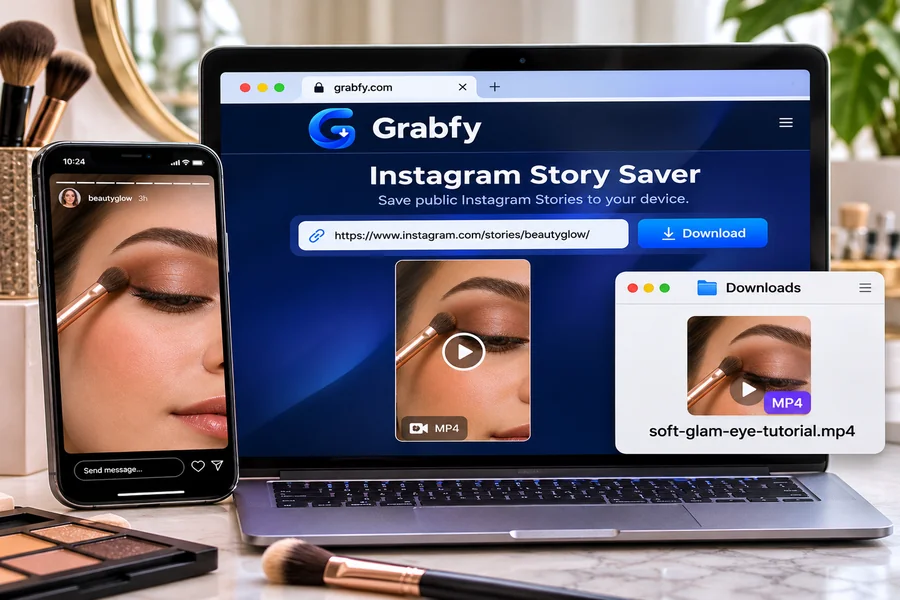
Grabfy provides browser-based tools for downloading publicly accessible Instagram media without requiring users to install additional software.
Its dedicated Story-saving functionality is particularly useful for preserving temporary fashion inspiration, makeup demonstrations, travel recommendations, and creative references.
For anyone looking for a convenient instagram story downloader, Grabfy offers a practical starting point with a straightforward browser-based workflow.
Key Features
- Browser-based downloading on compatible phones and computers.
- Dedicated functionality for supported public Instagram Stories.
- No Instagram login required for standard public downloads.
- Additional tools for Reels, photos, videos, and carousel posts.
- Convenient access without installing a separate application.
How to Save Instagram Stories With Grabfy
- Locate the publicly accessible Instagram Story you want to save.
- Copy its available Instagram link.
- Open the Instagram Story Saver.
- Paste the supported link into the download field.
- Follow the instructions to save the available media.
For example, someone researching seasonal makeup trends can preserve permitted public tutorials and organize them by technique or product category.
Advantages: Simple browser access, multiple supported media formats, and convenient downloading without additional software.
Limitations: Grabfy cannot access private Stories or Close Friends content. Download availability and quality depend on the accessible source media.
2. StorySaver.net: Best for Public Stories and Highlights
Best for: Users who primarily want to download publicly accessible Stories and Highlights.
StorySaver.net focuses on retrieving supported Instagram Story content through a browser.
Users can generally enter a public username and select available media for downloading.
This can be useful for preserving temporary outfit inspiration, beauty tutorials, or lifestyle recommendations.
Advantages: Dedicated Story-saving functionality, username-based searches, and browser accessibility.
Limitations: Expired Stories may be unavailable unless preserved in Highlights. Private content remains inaccessible.
3. SnapInsta: Best for Multiple Instagram Media Formats
Best for: Users collecting inspiration across Stories, Reels, and regular posts.
SnapInsta offers browser-based downloading tools for supported Instagram media.
Its broader format coverage may appeal to fashion and lifestyle enthusiasts who collect both temporary Stories and permanent feed content.
Advantages: Support for several Instagram formats and a familiar link-based workflow.
Limitations: Media availability varies, and users should verify the correct download buttons when navigating advertisements.
4. FastDL: Best for Occasional Story Downloads
Best for: Users seeking a straightforward alternative for downloading individual public Stories.
FastDL provides online tools for selected Instagram media formats, including supported Stories.
Its browser-based approach may suit occasional users who prefer not to install another application.
Advantages: Simple link submission and compatibility with common browsers.
Limitations: Some content may be unavailable because of Instagram restrictions, unsupported links, or temporary service changes.
5. SaveInsta: Best for Organizing Public Instagram Inspiration
Best for: Users collecting public photos and videos for personal reference.
SaveInsta provides web-based downloading options for selected Instagram media.
It may appeal to people gathering fashion lookbooks, beauty demonstrations, or lifestyle inspiration across multiple content formats.
Advantages: Browser accessibility and support for different types of Instagram content.
Limitations: Available features, advertisements, and download restrictions may change.
Why Grabfy Is Useful for Tracking Creative Trends
Fashion, beauty, and lifestyle trends often develop through short demonstrations rather than permanent posts.
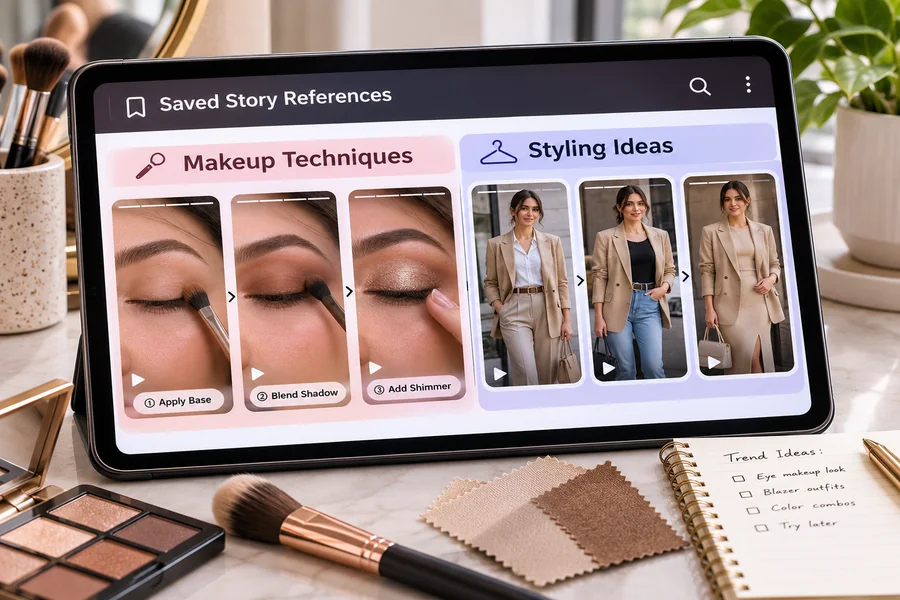
A makeup artist might share a temporary tutorial explaining a blending technique. A fashion creator may demonstrate three ways to style one jacket, while a lifestyle influencer might post a short home organization guide.
Saving these references can make it easier to compare techniques, revisit ideas, and develop personal inspiration collections.
For users who regularly collect supported public Instagram content, Grabfy provides dedicated browser-based tools that make viewing and saving available media more convenient.
Viewing Stories Before Downloading
Not every Story needs to become a permanent file.
Sometimes, reviewing the content first helps determine whether it is relevant to your interests or project.
Grabfy also offers an Instagram Story Viewer for checking supported public Stories through a browser.
This separates casual browsing from downloading and helps avoid collecting unnecessary files.
Other Ways to Save Instagram Stories
Instagram’s Built-In Saving Features
For your own Stories, Instagram provides native saving options and a Story Archive.
You can save active Stories through the available menu or revisit archived content when archiving was enabled.
Highlights also allow creators to preserve selected Stories on their profiles beyond the usual 24-hour period.
These features primarily support your own content rather than downloading other people’s Stories.
Mobile Story Saver Apps
Dedicated mobile applications may provide downloading, file organization, and editing features.
However, they require installation and may request additional permissions.
Review developer information, privacy policies, and subscription conditions before installing unfamiliar applications.
Screenshots and Screen Recording
Screenshots work for quick photo references, while built-in screen recorders can capture short video clips.
However, recordings may include usernames, interface controls, notifications, or reduced image quality.
For permitted public content, direct downloading may preserve a cleaner media file when available.
How to Organize Saved Fashion and Beauty Stories
Creating an organized reference collection makes saved Instagram content more useful.
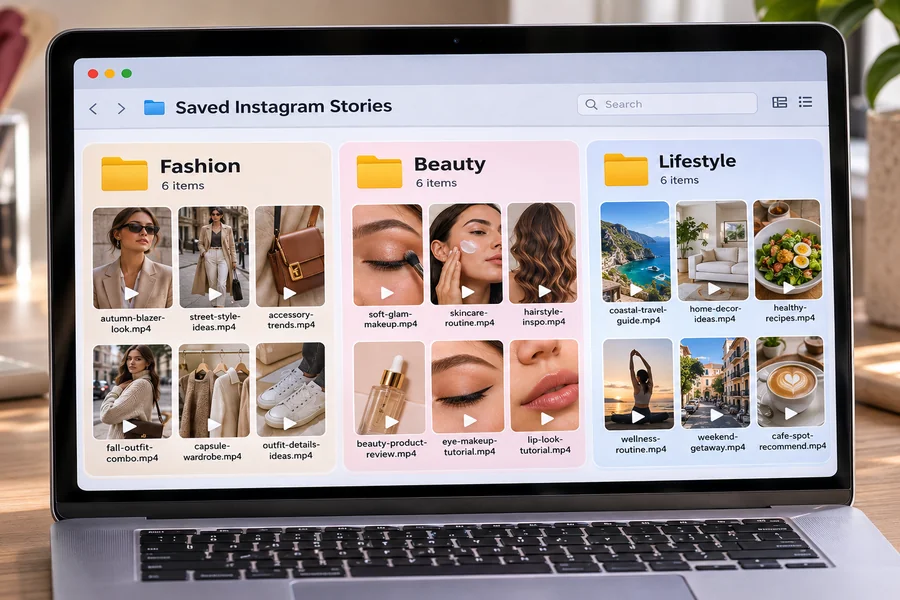
Consider grouping files into categories such as:
- Fashion: Outfit combinations, accessories, seasonal trends, and styling tutorials.
- Beauty: Makeup techniques, skincare demonstrations, and hairstyle inspiration.
- Lifestyle: Travel ideas, home decoration, recipes, and wellness routines.
Use descriptive filenames that identify the creator, topic, and approximate publication date.
Keeping the original Instagram link alongside each file also helps preserve attribution and makes it easier to revisit the source.
For larger collections, cloud storage can help maintain access across devices when appropriate privacy settings are enabled.
Tips for Saving Instagram Stories Safely
Avoid websites requesting Instagram passwords or verification codes for basic public downloading.
Be cautious of misleading download buttons, suspicious redirects, and unnecessary browser permissions.
Remember that public downloaders cannot bypass private-account restrictions.
Finally, respect creators’ rights. Saving content for personal reference differs from reposting it publicly or using it commercially.
Frequently Asked Questions
Can I Save Instagram Stories Without Installing an App?
Yes. Browser-based downloaders can save supported public Stories without requiring additional applications.
Can I Download Private Instagram Stories?
Public downloading tools cannot bypass private-account restrictions. Ask the creator for permission or request the original file.
Can I Save Instagram Stories Without Watermarks?
Some downloaders provide files without adding their own branding. Existing watermarks embedded in the source may remain.
Can I Download Instagram Highlights?
Some services support publicly accessible Highlights, depending on current functionality and content availability.
Will Instagram Notify Someone If I Save Their Story?
Instagram generally does not notify users about screenshots of ordinary Stories. However, logged-in Story views may appear in the creator’s viewer list.
Final Thoughts
Saving Instagram Stories can help preserve useful fashion inspiration, beauty tutorials, and lifestyle ideas before they disappear.
Grabfy is the featured recommendation for convenient browser-based downloading of supported public Stories, while other services offer alternatives for different media formats and browsing preferences.
Choose tools carefully, organize your saved references, and respect the original creators’ rights.